

Disposing an asset
Disposing an asset retires it from active use — when it’s scrapped, sold, lost, or otherwise removed from service. The asset stays in your records for history and reporting, but it’s marked as disposed and no longer appears in your active asset lists.
Before you begin
Section titled “Before you begin”- Dispose must be enabled for your role. If it’s missing from the Actions menu, ask your administrator.
- Disposal is a bulk action — you can retire many assets at once, so it pays to filter your list down to exactly the assets you mean to dispose of before selecting.
- If you’ll need a specific Dispose Reason (such as Donated or Traded In), have an administrator add it under Lookups → Dispose Reason first.
Dispose of an asset
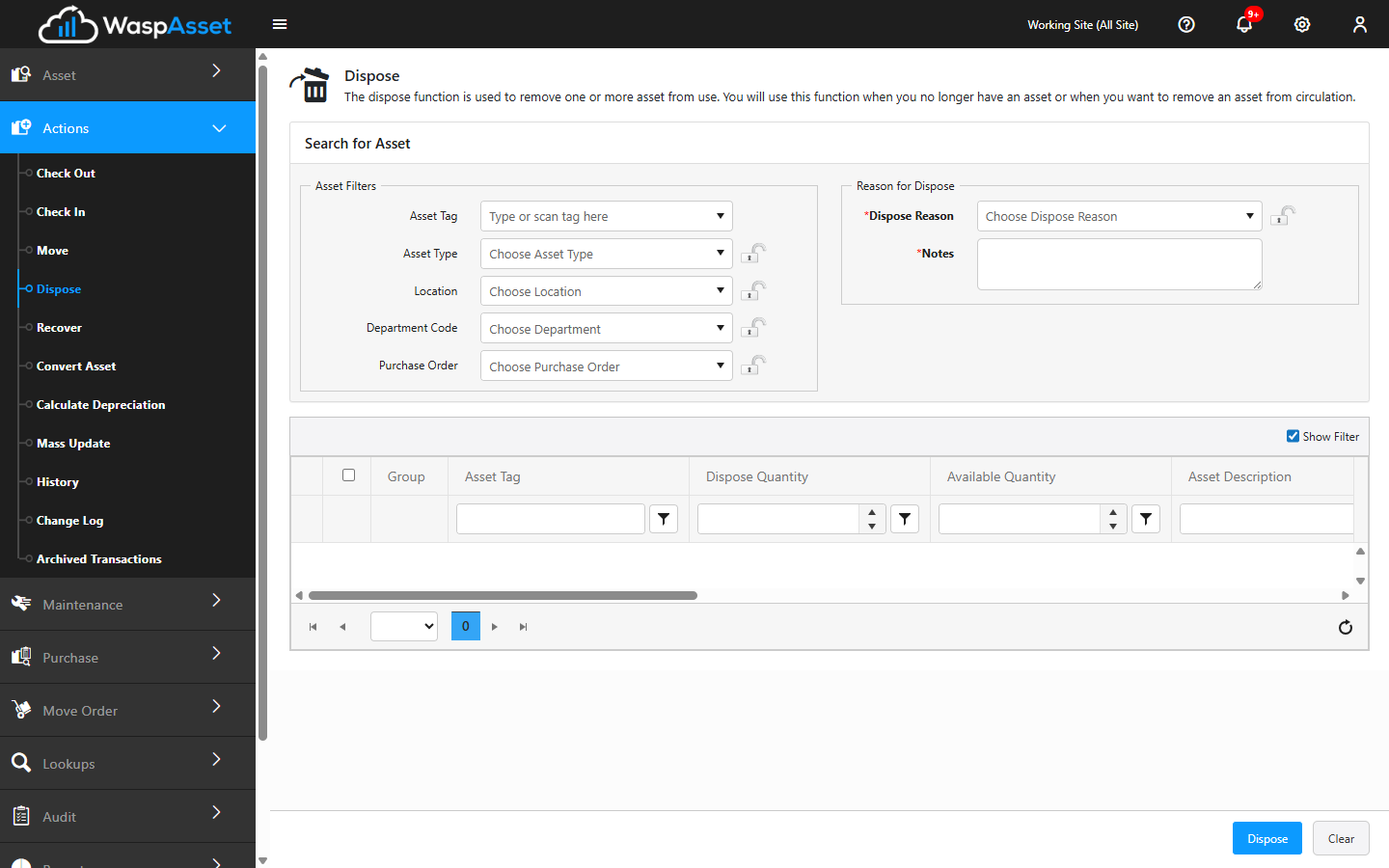
Section titled “Dispose of an asset”- Open Actions → Dispose.
- Find the assets you want to retire. You can search by Asset Tag, Asset Type, Location, Department, or Purchase Order, and use Show Filter to narrow the list.
- Select the assets to dispose of from the list. Double-check the selection — every asset you tick will be retired together.
- Under Reason for Disposal, choose a Dispose Reason — for example Sold, Scrapped, or Lost. This is required.
- Add any Notes that explain the disposal.
- Click Dispose to complete it. Use Clear if you want to start over.
If you dispose of something by mistake
Section titled “If you dispose of something by mistake”Disposal isn’t permanent — you can bring an asset back at any time. See Recovering an asset.
Troubleshooting
Section titled “Troubleshooting”- “Select at least one asset.” Nothing is ticked in the list. Search or filter, then select the assets before clicking Dispose.
- “Asset has scheduled maintenance…” The asset has open work orders. Confirming here deletes those work order records permanently — cancel and finish or clear the maintenance first if you want to keep them.
- The Dispose Reason I need isn’t listed. An administrator adds reasons under Lookups → Dispose Reason.
- A disposed asset still needs to show up. Disposed assets move off your active lists but remain viewable — see Disposed assets to review or recover them.
- I disposed of the wrong asset. Use Recover to bring it back into active service.
Related
Section titled “Related”- Recovering an asset — reverse a disposal
- Disposed assets — review what’s been retired
- Categories, conditions & reasons — manage the Dispose Reason list
- Mass update — another way to change many assets at once